
Firmware updates are not simple upgrades; they are complex system recalibrations that trade raw power for long-term hardware health and safety.
- Updates often remap the motor’s power curve, which can feel “slower” but improves efficiency and reduces component wear.
- Ignoring update best practices can lead to a recoverable “failsafe state,” not a permanently “bricked” device.
Recommendation: Treat your e-bike like a server. Understand the update’s purpose, create a stable environment for the flash, and leverage the new settings to optimize for your specific riding style, not just for peak power.
That little notification pops up in your e-bike’s companion app: “Firmware Update Available.” The changelog promises “improved performance” and “bug fixes.” For the tech-savvy rider, the impulse to click “update” is strong. We’re conditioned to believe that the latest software is always the best. But in the world of e-bikes—a sophisticated mechatronic system of motors, sensors, and batteries—the reality is far more nuanced. An update is not just adding features; it’s fundamentally altering the digital soul that governs your hardware.
Many guides offer generic advice: charge your battery, find a stable connection. While true, this barely scratches the surface. It ignores the critical engineering trade-offs being made on your behalf. Why might an update make your bike feel less aggressive off the line? What is the real risk of a failed update, beyond the dreaded “bricking”? This isn’t about simply applying a patch; it’s about understanding a recalibration. The core question isn’t *if* you should update, but *why* the manufacturer is issuing it, and how that aligns with your needs as a rider.
This article moves beyond the changelog. We’ll dissect firmware updates from a software engineering perspective. We will explore how a change in code can feel like a change in hardware, why “slower” can mean “healthier” for your motor, and how to become the true system administrator of your ride. We will analyze the delicate balance between performance, efficiency, hardware longevity, and regulatory compliance that every single update navigates. By understanding these underlying principles, you can make informed decisions that go far beyond the simple act of clicking “update.”
To navigate this complex topic, we will break down the key engineering and user-facing aspects of e-bike firmware. This guide explores the tangible effects of software on your hardware, from initial power delivery to long-term battery health and legal considerations.
Summary: The Engineering Truths of E-Bike Firmware
- Why a Software Update Might Make Your Bike Feel Slower Off the Line?
- How to Avoid “Bricking” Your Bike During a Bluetooth Update Failure?
- Legal Tuning vs Hacking: What Actually Voids the Warranty?
- The Error of Leaving Bluetooth Always On That Drains 5% Overnight
- When to Use “Eco” vs “Tour” Profiles Customised in the App?
- Why Your Motor Should Stop When You Stop Pedaling: Safety Basics
- Turbo Mode Addiction: The Habit That Halves Your Ride Distance
- Troubleshooting Error Codes: What Your Display Is Telling You Before System Failure?
Why a Software Update Might Make Your Bike Feel Slower Off the Line?
The perception that an update has made a bike “slower” is common, and it’s not just in your head. It’s often an intentional engineering trade-off. Manufacturers aren’t trying to diminish your experience; they’re optimizing the entire mechatronic system for longevity and efficiency. The primary tool for this is remapping the motor’s torque and power delivery curves. An early firmware version might deliver maximum current instantly for a thrilling, aggressive launch. However, this subjects the motor’s internal nylon gears and the battery management system (BMS) to significant stress and thermal load.
A mature firmware update will often smooth out this initial power spike. Instead of a vertical wall of torque, it creates a more progressive ramp-up. This “slower” feel reduces mechanical shock on the drivetrain and prevents thermal throttling, ultimately allowing the motor to sustain a higher average output over a longer period. It’s a shift from a “drag race” philosophy to an “endurance race” one.
This is precisely the logic behind features like TQ’s ‘Softcharge Mode’, which deliberately slows charging to protect battery cells, or ‘Storage Mode’ for long-term health. The goal is to extend the lifespan of expensive components. So, while you may lose that instantaneous kick, the update is giving you a more efficient, reliable, and durable system. It’s a recalibration that prioritizes the long-term health of your hardware over momentary, and potentially damaging, peak performance.
How to Avoid “Bricking” Your Bike During a Bluetooth Update Failure?
The term “bricking” conjures images of a permanently dead, useless device. In the context of e-bike firmware, this is a rare and often misunderstood outcome. Most modern motor controllers are designed with robust failsafe mechanisms. A failed Over-the-Air (OTA) update via Bluetooth doesn’t typically corrupt the bootloader—the fundamental code that allows the system to start up. Instead, it usually results in a “soft brick” or a failsafe state, where the main application firmware is corrupted, but the core system is waiting for a clean re-flash.
As the GlideEbike Technical Team notes, this state is often recoverable without dealer intervention if you know the right procedure. It’s less about a dead device and more about a failed boot sequence that needs a specific command to resolve.
Most controllers have a failsafe state that is not bricked, but requires a specific, often undocumented, procedure like a specific button press sequence on startup to force a re-flash.
– GlideEbike Technical Team, E-Bike Firmware Updates Guide
The key to avoiding this state is ensuring data integrity during the flashing process. A Bluetooth connection is susceptible to radio frequency (RF) interference from Wi-Fi routers, microwaves, or even other BLE devices. The goal is to create a “clean room” environment for the data transfer. Following a strict pre-flash protocol is not just a suggestion; it’s a professional best practice for any embedded systems engineer.
Your Pre-Flash Checklist: Preventing Update Failures
- Sufficient Charge: Ensure the e-bike battery is charged to at least 50%. A voltage drop during the write process is a primary cause of data corruption.
- Quiet RF Environment: Perform the update in an ‘electronically quiet’ area, physically away from active Wi-Fi routers, microwaves, and other sources of RF interference.
- Stable Connection: Use a stable internet source for the download phase to prevent an incomplete firmware package from being sent to the bike.
- Device Power: Keep your smartphone or computer plugged into a power source. An unexpected shutdown of the controlling device is as bad as the bike shutting down.
- Do Not Disturb: Never disconnect, power off the bike, or close the app during the update. Let the progress bar complete and wait for the confirmation message.
Legal Tuning vs Hacking: What Actually Voids the Warranty?
The line between “tuning” and “hacking” is a critical one, with significant implications for your warranty and legal status. “Legal tuning” refers to modifications made within the parameters provided by the manufacturer, typically through their official companion app. This can include creating custom ride profiles, adjusting the percentage of assistance in Eco or Tour mode, or changing the responsiveness of the motor. These actions are sanctioned and will not void your warranty because they operate within the system’s pre-defined safety and legal limits.
“Hacking,” on the other hand, involves using third-party software or hardware to bypass the manufacturer’s firmware limitations. The most common goal is to de-restrict the top speed. While this may seem appealing, it immediately voids the warranty. Manufacturers embed loggers in the firmware that record when system parameters exceed factory specifications. If a motor fails due to overheating from being run consistently above its designed speed, a technician can pull these logs and will deny the warranty claim.
More importantly, this crosses a legal boundary. In the United States, for instance, federal law defines what constitutes a “Low-Speed Electric Bicycle” (LSEB). An e-bike must have a motor under 750W and a top assisted speed of 20 mph. As a detailed analysis of e-bike law points out, if a firmware hack pushes your bike beyond these limits, it is legally reclassified as a moped or motorcycle. This brings with it requirements for registration, licensing, and insurance, and removes it from the consumer product safety protections afforded to e-bikes. The warranty is the least of your worries at that point.
The Error of Leaving Bluetooth Always On That Drains 5% Overnight
One of the most overlooked aspects of modern e-bike ownership is managing its quiescent current, or “vampire drain.” Your e-bike is not truly “off” when you power it down from the display. The controller and its Bluetooth Low Energy (BLE) module often remain in a low-power listening state, waiting for a potential connection from your phone or a GPS computer. While this state is highly optimized, it is not zero-power. Each “ping” or handshake request from a nearby paired device wakes the processor for a fraction of a second, consuming a small amount of energy.
Over the course of a night, this can add up significantly. Connectivity-related vampire drain can be a major culprit of unexpected battery loss. Studies on the subject indicate that an e-bike left in a Bluetooth listening state can experience as much as a 5% overnight battery loss compared to a bike in a true “deep sleep” mode. This is the energy consumed just by being available to connect. For a rider who only uses their bike a few times a week, this cumulative drain can mean the difference between having a full charge ready to go and needing an unexpected top-up.
Actively managing your bike’s connectivity is therefore a crucial part of battery health management. This involves creating habits and using system settings to ensure the bike enters its lowest possible power state when not in use. It requires thinking of your bike not as a passive object, but as a connected device that needs its connections managed. This includes disabling Bluetooth on the bike’s display if possible, disconnecting third-party devices, and configuring your phone to stop polling for the bike once your ride is over.
When to Use “Eco” vs “Tour” Profiles Customised in the App?
Firmware updates often unlock deeper customization of ride profiles, moving beyond the simple “Eco, Tour, Turbo” presets. For the discerning rider, this is where the true power of software lies: the ability to tailor the motor’s behavior to specific terrains and conditions. Understanding the engineering principles behind these modes is key to using them effectively. “Eco” and “Tour” are not just about a simple percentage of power; they are distinct power delivery maps optimized for different cadences and loads.
Eco Mode is designed for maximum efficiency. It typically delivers lower power output and is tuned to be most effective at a higher, steadier cadence (e.g., 80-90 RPM). This is ideal for flat terrain or long, steady cruises where maintaining momentum is more important than raw power. Tour Mode, in contrast, is mapped for mixed terrain. It provides more power and is optimized for a lower, more variable cadence (e.g., 60-75 RPM), giving you the torque needed for rolling hills without the massive battery drain of Turbo mode.
The ability to create custom profiles allows you to engineer your own solutions. For example, a “Custom Headwind” profile might sit between Eco and Tour, providing smooth, consistent power to fight wind resistance without frequent mode changes. A “Technical Trail” profile could be set for maximum, instantaneous torque to clear sharp, punchy climbs. Analyzing a data-driven comparison is the best way to understand these nuances.
This comparative data, often found in technical deep-dives, highlights the trade-offs. As a recent analysis shows, moving from one mode to another has a non-linear impact on battery consumption.
| Mode | Power Output | Optimal Cadence | Battery Consumption | Best Use Case |
|---|---|---|---|---|
| Eco Mode | 100-150W | 80-90 RPM | Baseline | Flat terrain, steady cruising |
| Tour Mode | 200-250W | 60-75 RPM | 2x Eco | Mixed terrain, moderate hills |
| Custom Headwind | 175W smooth | 75-85 RPM | 1.5x Eco | Consistent headwind conditions |
| Technical Trail | 300W instant | Variable | 3x Eco | Sharp climbs, technical sections |

By using the app to match the motor’s power curve to your specific ride, you are moving beyond being a user and becoming a system operator, optimizing the bike’s performance in real-time.
Why Your Motor Should Stop When You Stop Pedaling: Safety Basics
A fundamental principle of e-bike safety engineering is that the motor must provide assistance, not primary propulsion. The system must respond instantly to rider input, and that includes the cessation of input. The moment you stop pedaling, the motor must cut power. This is governed by a torque sensor in the bottom bracket and a speed sensor on the wheel, but it’s the firmware that interprets this data and executes the command. A critical parameter in this process is the “overrun”—the fraction of a second the motor continues to push after pedaling stops.
While a slight overrun can create a smoother ride feel, an excessive delay is a significant safety hazard, particularly in tight, technical situations or crowded urban environments. European safety standard EN 15194, for example, strictly regulates this behavior. Firmware updates are often pushed specifically to tighten these safety parameters. For instance, recent updates to comply with European safety regulations have focused on reducing this overrun time from a noticeable 0.5 seconds to an almost imperceptible 0.2 seconds, ensuring the bike behaves predictably.
However, engineers also recognize the need for practical functionality. In technical mountain biking, a brief, controlled overrun can help a rider “kick” over an obstacle. This has led to innovative firmware solutions like FAZUA’s “KickOverrun” feature in their RIDE 60 system. This intelligent feature allows a brief, controlled push when needed for technical maneuvers while still ensuring the system defaults to an immediate cutoff for general riding safety. This is a perfect example of how firmware evolves to balance strict safety compliance with nuanced, high-performance user needs. It’s not just about stopping; it’s about stopping intelligently.
Turbo Mode Addiction: The Habit That Halves Your Ride Distance
Turbo mode is the e-bike equivalent of a fighter jet’s afterburner. It’s exhilarating, powerful, and astronomically inefficient. Relying on it as a default setting—a condition we can call “Turbo Mode Addiction”—is the single fastest way to degrade both your ride distance and the long-term health of your drivetrain. The relationship between power output and battery consumption is not linear; it’s exponential. According to motor efficiency analysis, doubling the assistance from 200W (a typical Tour mode) to 400W (a conservative Turbo) more than doubles battery consumption due to squared current-related heat losses (I²R losses) in the motor windings.
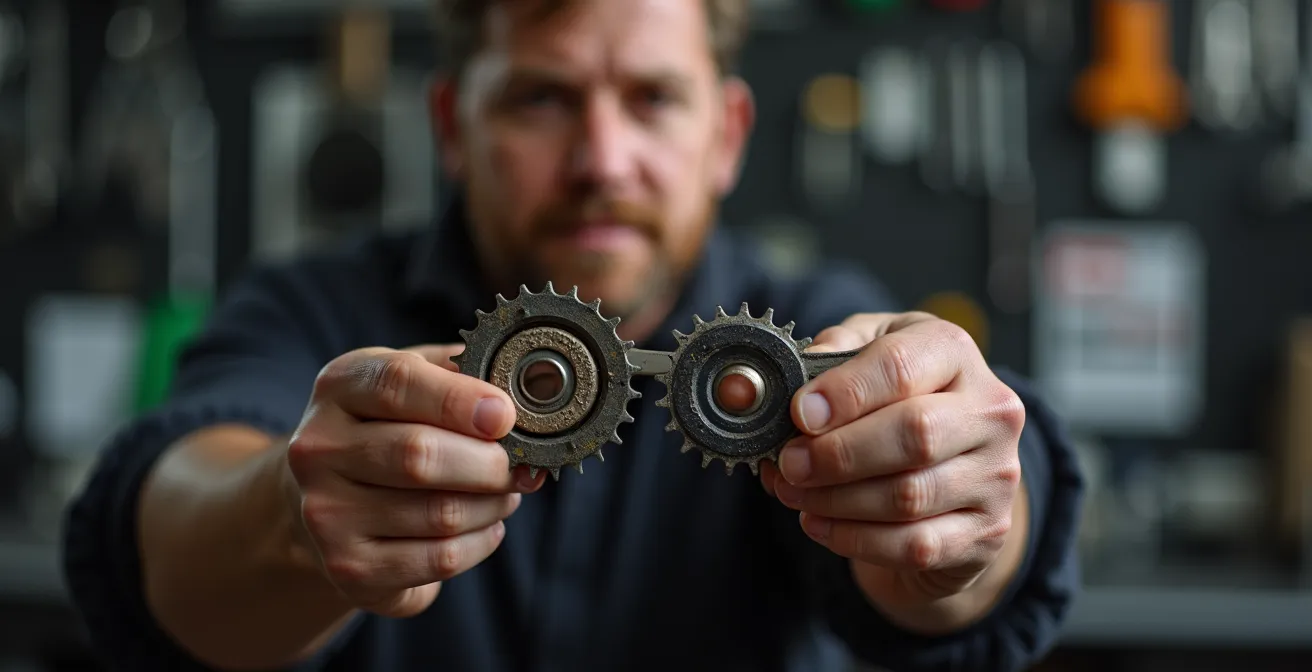
This excess heat is wasted energy that doesn’t translate to motion. But the cost isn’t just in range. The immense, instantaneous torque delivered in Turbo mode places extreme stress on mechanical components. The chain, cassette sprockets, and even the internal gears of the motor are subjected to forces they are not designed to handle continuously.
The peak torque in Turbo mode accelerates wear on the chain, cassette, and internal motor gears exponentially, turning a 2,000-mile drivetrain into a 1,000-mile one.
– TST EBike Engineering Team, E-Bike Speed Upgrade Guide 2025
Firmware updates often try to mitigate this by refining Turbo mode’s power curve, but no software can defy physics. The most effective strategy is behavioral. Turbo mode should be treated as a temporary boost for a steep, short climb or a quick acceleration, not a cruising speed. Learning to ride efficiently in Eco and Tour modes, using cadence and gearing to your advantage, is what separates a novice rider from an expert system operator. It transforms the bike from a brute-force machine into a tool of efficiency.
Key Takeaways
- Firmware updates are a balance: they often trade peak, potentially damaging torque for improved efficiency and long-term hardware health.
- A failed update rarely “bricks” a bike; it triggers a recoverable “failsafe state” that requires a specific re-flashing procedure.
- Manufacturer-approved tuning within the app is safe and preserves your warranty; third-party speed hacking voids it and carries legal risks.
Troubleshooting Error Codes: What Your Display Is Telling You Before System Failure?
Error codes on your e-bike’s display are not a sign of failure; they are a vital communication channel from the bike’s controller. They are the system’s way of telling you it has detected an anomaly, often long before a catastrophic failure occurs. Learning to interpret these codes is like learning your bike’s language. From an engineering standpoint, these codes are flags raised by the system’s self-diagnostic routines, which constantly monitor sensor inputs, motor parameters, and battery status. Ignoring a persistent error code is like ignoring the check-engine light on a car.
These codes fall into two main categories: user-serviceable and dealer-required. A user-serviceable error might point to a simple issue like a misaligned speed sensor on the wheel or a loose battery connection. These are often transient and can be fixed with basic mechanical adjustments. A dealer-required error, however, points to a more serious internal issue, such as a failed Hall sensor inside the motor or a malfunction in the controller’s power stage. These require specialized diagnostic tools to pinpoint the fault and cannot be resolved by a simple reboot.
The first step in troubleshooting is to determine if the error is intermittent or persistent. An intermittent error that only appears in the rain, for example, points towards a failing seal and water ingress. A persistent error that survives multiple power cycles indicates a hard fault in the hardware or a corrupted segment of the firmware. Many systems, like those from Bosch, also have hidden diagnostic menus. By using a specific button combination on startup, you can often access a more detailed error log than what is shown on the main display, providing crucial information for you or your technician. Understanding this communication is the final piece of becoming a true system administrator for your e-bike.
Frequently Asked Questions About Firmware Updates: Do They Really Improve Motor Efficiency and Range?
What’s the difference between user-fixable and dealer-required error codes?
User-fixable errors typically relate to external components and connections, such as speed sensor alignment issues or a loose battery connection that you can address yourself. Dealer-required errors point to internal hardware problems like motor Hall sensor failures or controller malfunctions that necessitate specialized diagnostic tools and professional service.
How can I tell if an error is intermittent or persistent?
An intermittent error appears only under specific conditions, like in wet weather which might indicate a seal failure, and may disappear after a restart. A persistent error survives system reboots and remains on the display, signaling a more serious, constant hardware or firmware fault that requires immediate attention.
Is there a way to access more detailed error information?
Yes, many e-bike displays feature hidden diagnostic menus. These are often accessible via specific button combinations held down during startup. For example, some Bosch systems allow this to reveal detailed error logs that go far beyond the basic codes shown on the main screen, providing deeper insight for troubleshooting.